Dictating to Claude Code: what /voice sends, and a local way
Claude Code's voice mode streams your audio to Anthropic and needs a claude.ai login. Where it stops, and measured numbers for local dictation in any terminal.
Read →Press your shortcut, speak, and paste the words where you were typing.
Illustrative view of dictating with AlphaDictate
A pill appears at the bottom of the screen.
A live waveform shows the mic is listening. Long thoughts transcribe as you go.
The text pastes at your cursor — even if you switched windows.
| AlphaDictate | AlphaDictate | Windows Win+H | Wispr Flow Pro |
|---|---|---|---|
| Your voice is processed | On your PC | Microsoft's servers | The vendor's servers |
| Works offline | Yes — activated licenses up to 14 days | No | No |
| Price | $39 / year, $5 / month, or $79 once | Free | $144 / year or $15 / month |
| Account required | No | No separate account | Yes |
| Trigger | Keyboard shortcut or middle/side mouse button | Fixed global shortcut: Win+H | Keyboard shortcut |
Vendor details as of September 2026. Check their pages for current terms.
Three model tiers, one key, and a window you rarely need to open.
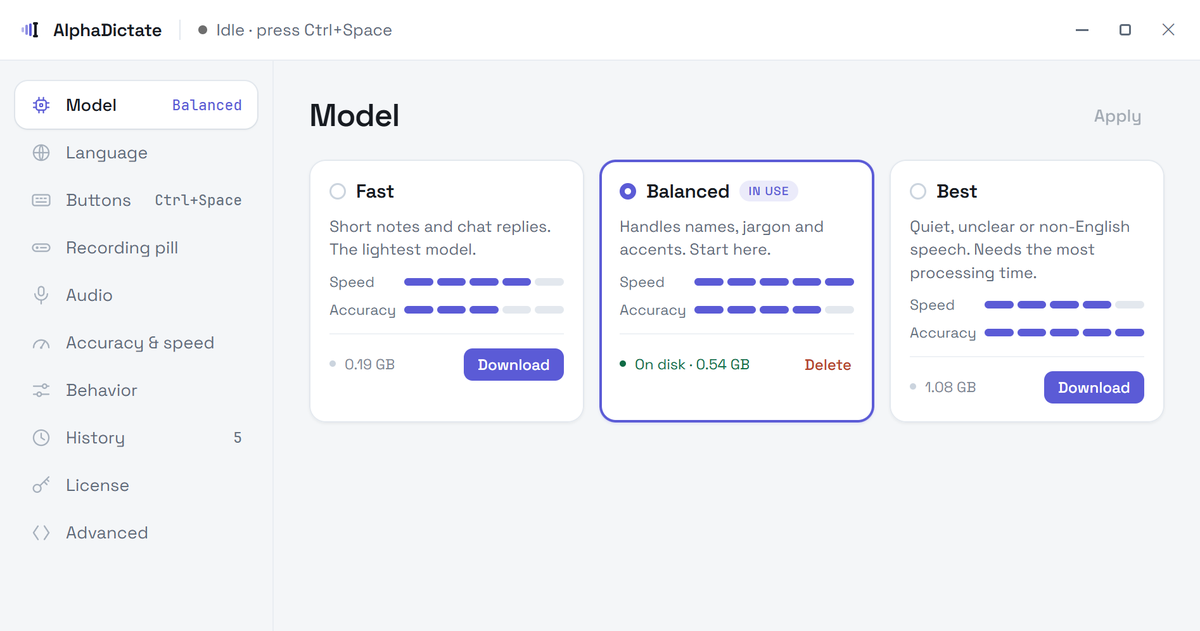
AlphaDictate recognizes speech on your computer instead of sending your recording to a transcription server.
Recordings are discarded or kept in local history, depending on your setting.
Try it without an account or card. A key from your purchase email activates your license.
Internet access downloads models and app updates. After you enter a key, it also activates and periodically checks the license.
Choose a keyboard shortcut or a middle/side mouse button.
Long dictation transcribes while you keep talking.
Optionally translate to English as you go.
Runs on a compatible GPU, including many integrated ones.
Switch windows mid-transcription. The text still lands right.
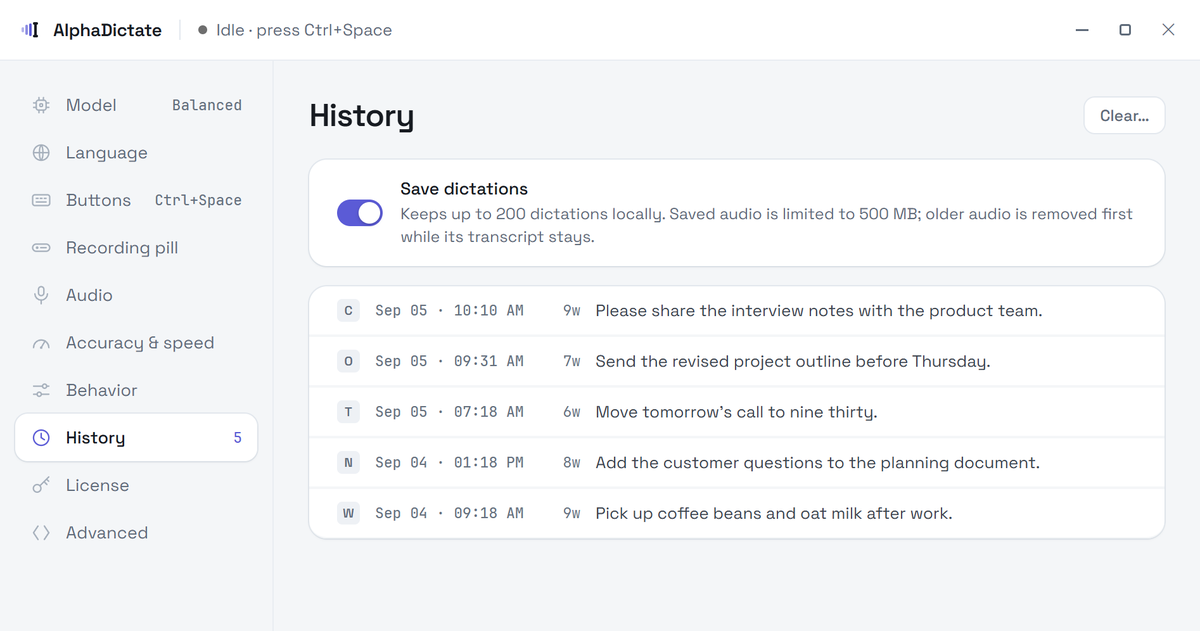
Up to 200 transcripts; recent audio up to 500 MB. Re-run with another model.
Filler removed, punctuation repaired, quiet audio boosted.
Live waveform, named input device, pause and cancel.
Spotify or a browser video resumes when you stop.
Try an hour of dictation first — no card, no account.
or $5 / month, or $79 once
Three ways to pay, the same app.
Secure checkout by Stripe. Your key is usually emailed within a few minutes.
Planned for Ubuntu / GNOME first. Pricing has not been announced.
PlannedYes, once a model is downloaded. Transcription runs on your computer. The trial is counted locally with no account or license check. After activation, the app checks the license periodically and can keep working offline for up to two weeks.
Windows 10 or 11, 64-bit, with an NVIDIA, AMD or Intel GPU and a current Vulkan driver — many integrated graphics qualify. A GPU is required; there is no CPU-only mode.
Choose Fast, Balanced or Best for your hardware and language. Best uses Whisper Large v3. A vocabulary hint can improve names and jargon.
It works with most ordinary text fields that accept paste. Windows blocks pasting into programs running as administrator unless AlphaDictate runs elevated too.
$39 a year, $5 a month, or $79 once for a lifetime license, on up to 3 computers you use yourself. Every plan has the same features, including updates and new models.
Email us within 14 days of buying for a full refund, no questions asked. Before that, the free hour is long enough to find out.

Claude Code's voice mode streams your audio to Anthropic and needs a claude.ai login. Where it stops, and measured numbers for local dictation in any terminal.
Read →
We timed local Whisper dictation on a gaming GPU and on laptop integrated graphics. Both are fast enough, and splitting speech at pauses hides most of the wait.
Read →
Win+H is free and built in. It needs the internet, sends your audio to Microsoft, and hears one language at a time. Setup, commands, limits and alternatives.
Read →No account required. Buying sends a license key by email.
Download for Windows